Choosing an audio format is a trade-off between file size, audio fidelity, latency and the playback equipment already installed. There is no single “best” format: an archived master, a background-music player and a live voice system have different requirements.
This guide separates codecs from containers and focuses on the formats that are useful in day-to-day commercial audio work.
Start with the use case
| Need | Practical starting point | Why |
|---|---|---|
| Broad compatibility for music files | MP3 | It is widely supported by older players, USB media players and software. |
| Modern music delivery | AAC in an M4A or MP4 container | It is commonly used by current phones and media ecosystems. |
| Interactive voice, conferencing or low-latency delivery | Opus | It was designed for interactive speech and music applications. |
| Lossless archive or high-quality download | FLAC | It compresses without discarding decoded audio samples. |
| Editing, mastering or an uncompressed hand-off | WAV | It is usually used for PCM audio and is straightforward in production tools. |
The decoder in the actual player is the final constraint. Check the equipment specification before standardising a library or promising a format to a customer.
Lossy and lossless compression
Lossy codecs reduce file size by removing information. MP3, AAC and Opus are lossy codecs. They are often the right choice when storage, bandwidth or device compatibility matters, but re-encoding a lossy file repeatedly can compound artifacts. Keep a higher-quality master and make delivery copies from that master.
Lossless codecs preserve the decoded audio samples. FLAC is a lossless codec; WAV is commonly used as an uncompressed PCM container. Lossless files are useful for archives, editing and quality-sensitive distribution, although they require more storage and are not supported by every embedded player.
Codec and container are not the same thing
Format names are often used loosely. A codec describes how audio is encoded; a container packages the encoded stream with metadata and, in some cases, other media.
- MP3 is both a familiar file extension and a lossy audio format.
- AAC is a codec. It is often delivered in an M4A or MP4 container.
- Opus is a codec that is commonly carried in an Ogg or WebM container.
- FLAC is a lossless audio codec with its own common file format.
- WAV is a container that is often used for uncompressed PCM audio.
The file extension alone does not guarantee that a playback device supports what is inside. Test the complete file and player combination.
What to know about common formats
MP3
MP3 remains a practical option when a USB player, older amplifier or mixed fleet of devices must play the same files. Use it for compatibility, not because it is automatically the smallest or highest-quality choice. Keep the source master so that future versions can be generated without transcoding an MP3 again.
AAC
AAC is a lossy codec commonly used in modern consumer media ecosystems. An M4A file frequently contains AAC audio, but the container and codec should both be checked when specifying compatibility. It is a reasonable option when the target devices already document AAC or M4A support.
Opus
Opus is designed for interactive speech and audio, including voice over IP, conferencing and distributed music performance. That makes it a strong engineering choice for interactive delivery where the complete software chain supports it. It is not automatically the best choice for a standalone media player with a limited decoder list.
FLAC
FLAC is a lossless codec. Use it when preserving the decoded audio signal matters, such as a music archive, production hand-off or high-quality download. Confirm that the player supports FLAC before choosing it for a background-music library.
WAV
WAV is often used for uncompressed PCM files in recording and editing workflows. It is simple and widely supported by production applications, but its size makes it less convenient for routine network delivery or large media libraries.
Parameters that affect the result
Do not judge an audio file by one number alone.
- Bit rate affects how much encoded data is available each second for lossy audio, but the useful value depends on the codec, source material and intended listening conditions.
- Sample rate and bit depth describe the digital audio representation before or after decoding. A higher number is not automatically audible or necessary for every installation.
- Channel count must match the delivery and playback path. A stereo file does not create a stereo installation by itself.
- Playback chain includes the decoder, digital transport, amplifier, loudspeakers and acoustic environment. It often matters more than changing a file extension.
For Bluetooth playback, remember that the Bluetooth codec negotiated between the source and receiver is a separate decision from the audio file format stored on the source device.
A practical workflow for commercial audio systems
- Keep an organised, high-quality master library.
- List the file formats documented by the target player or amplifier.
- Create one delivery format for that supported playback chain.
- Test representative speech and music tracks at the installed equipment and sound level.
- Record the chosen format and source settings so that replacement files stay consistent.
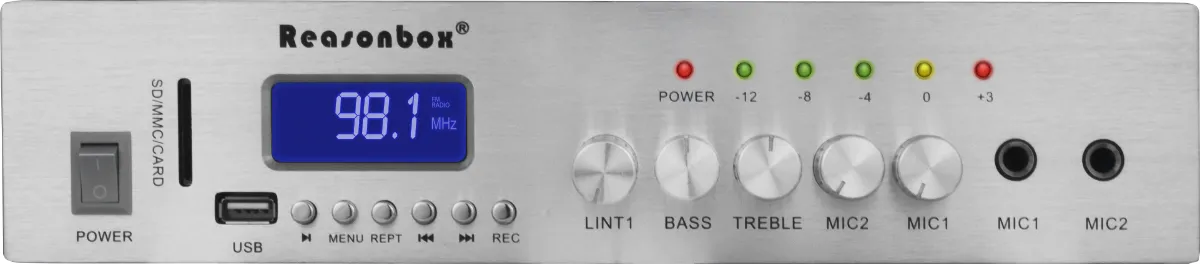
For a compact local system that plays Bluetooth, FM or USB sources into conventional speakers, the RX-331 mini PA amplifier is one example of equipment where the source interface and loudspeaker match should be checked together.
For venue-wide audio design, see the guide to choosing a broadcast audio system. If the source is a visitor's phone, the Bluetooth audio broadcasting guide explains why the Bluetooth link and the stored audio file are separate compatibility checks.
Frequently asked questions
What is the best audio compression format for background music?
Start with the file formats listed in the actual player or amplifier specification. MP3 is often the safest choice for mixed or older playback equipment; AAC can be appropriate when every target player documents support. Keep a higher-quality master so the delivery format can be changed later without re-encoding an already lossy copy.
Is FLAC better than MP3 for a commercial audio system?
FLAC preserves the decoded audio samples, but it only improves the result when the entire playback chain supports it and the project benefits from the larger files. For routine background music, equipment compatibility, loudspeaker coverage and gain setup usually matter more than choosing FLAC by default.
Does Bluetooth codec support decide which music files I can use?
No. A stored music file is decoded by the source player first. The source and Bluetooth receiver then negotiate a separate Bluetooth codec for the wireless link. Check both stages when testing playback.